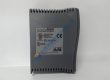
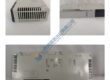
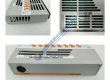
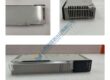
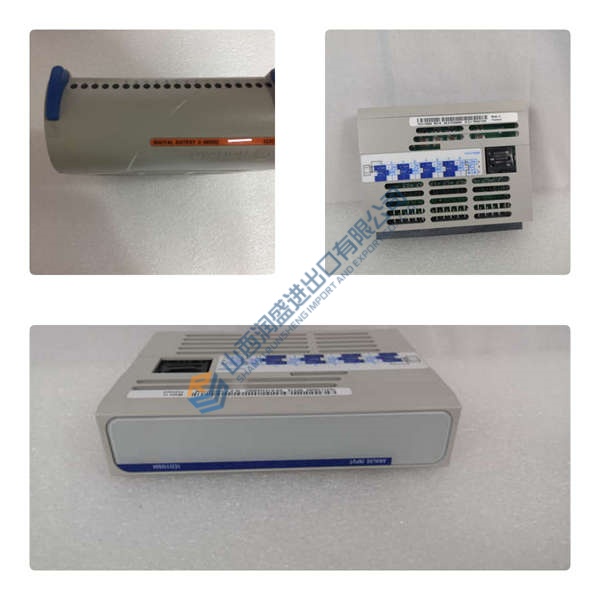
- Model: MVI56E-CM
- Brand: PROSOFT Technology
- Series: ControlLogix in-rack communication modules
- Core Function: Modbus master or slave communication for ControlLogix CPUs
- Product Type: Communication module / Modbus interface
- Key Specs: 2 serial ports | Modbus RTU/ASCII | 1756 ControlLogix backplane
- Condition: New Original (New Surplus)
Product Introduction
PROSOFT MVI56E-CM is an in-rack Modbus communication module for Rockwell 1756 ControlLogix systems, used to connect legacy or third‑party Modbus RTU/ASCII devices to Logix CPUs without external gateways. It sits as a standard I/O module and exchanges register data with the CPU over the backplane.
The module typically supports dual serial ports that can be configured as Modbus master or slave, which allows one ControlLogix rack to collect, buffer, and serve data from multiple Modbus networks while keeping wiring inside the cabinet and reducing the need for stand‑alone serial gateways. Always confirm exact firmware and feature set on the nameplate and OEM documentation.
Frequently Asked Questions
Q: Does the MVI56E-CM support hot-swapping in a ControlLogix rack?
A: Honestly, treat it like any other 1756 communication module: the chassis supports online module replacement, but you still risk process interruption if the CPU depends on its data. I recommend planning a maintenance window, inhibiting the module in the Logix project, and confirming that the power supply and backplane meet Rockwell’s requirements before pulling it.
Q: Is the MVI56E-CM obsolete, and is there a direct replacement?
A: In our experience, the E‑series modules exist specifically as enhanced versions of older MVI56 units, but Rockwell and PROSOFT product lifecycles move. Check PROSOFT’s current product notice and migration guides; if a newer “E” or “XT” variant is listed, verify that your ControlLogix firmware and RSLogix/Studio 5000 version support that replacement before you order it.
Q: Will I lose my program or configuration when I replace the module?
A: The most common mistake is swapping the card without first backing up the configuration file from the existing unit. Before pulling the old MVI56E-CM, connect with the vendor’s configuration software, export the config, and record the key parameters (Modbus role, baud, parity, node addresses, database mapping). After installing the new card, load the same firmware major revision when possible, then restore the saved configuration and compare live diagnostics.
NI National Instruments USB-6008 ++ Nice ++
National Instruments SC-2053 DAQ connector block!
National Instruments DAQ SC-2060 ! Retails for $319!!
National Instruments NI PXI-6040E Multifunction DAQ
National Instruments CB-68LPR I/O Connector Block
National Instruments Multifunction DAQ I/O PCI-6036E
NI National Instruments PCI-DIO-96 182920D-01 Digit I/O
National Instruments PCI-GPIB IEEE 488.2 DAQ Card
National Instruments GPIB-110 Bus Extender PN 180294-03
National Instruments PXI-6713 High-Speed Analog Output
National Instruments GPIB-USB-HS
National Instruments cable 183432B-02
National Instruments PCI-MIO-16E-1 (6070E) NI DAQ Card
National Instruments USB-8473 High-Speed CAN Interface
NATIONAL INSTRUMENTS SC-2070 INTERFACE UNIT
National Instruments NI cFP-AIO-610 Module
National Instruments PCI-GPIB IEEE 488.2 DAQ Card
National Instruments NI PCI-GPIB IEEE 488.2 Card.Tested
NATIONAL INSTRUMENTS BNC-2110 SHIELDED CONNECTOR BLOCK
National Instruments PCI-6023E
National Instruments PCI-GPIB IEEE 488 Card “Tested”
National Instruments NI cDAQ-9172 8-Slot USB Chassis
National Instruments PXI-1411 Frame Grabber