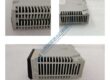
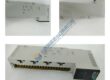
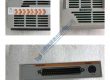
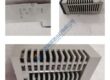
Product Core Brief
- Model: MVME7100-0173
- Brand: MOTOROLA
- Series: MVME7100
- Core Function: Embedded CPU module for high-performance industrial systems.
- Type: CPU Module
- Key Specs:
- RAM: 1 GB
- Processor: PowerPC 7447
- Ports: Ethernet, serial, and USB interfaces
Product Introduction
The MOTOROLA MVME7100-0173 is an embedded CPU module designed for industrial control and automation applications. Featuring 1 GB of RAM and a PowerPC 7447 processor, it provides reliable performance in demanding environments.
The module supports a variety of communication protocols, including Ethernet and serial ports, ensuring compatibility with a wide range of industrial systems. This makes it an excellent choice for upgrading or replacing outdated CPU modules in embedded control systems.
Installation & Configuration Guide
Phase 1 — Pre-Installation (est. 10 min)
- Safety: De-energize the system, wait 5 minutes for discharge.
- Tools: Anti-static wrist strap, screwdriver, multimeter (Fluke 115 recommended).
- Backup: Export configuration and take photos of the existing DIP switch settings, wiring layout, and module orientation.
Phase 2 — Removal (est. 5 min)
- Label all wires before disconnecting them.
- Release the DIN rail latch and gently remove the module perpendicular to the backplane.
- Inspect the backplane connector for wear or damage.
Phase 3 — Installation (est. 10 min)
- ESD Precautions: Wear wrist strap and use anti-static mat.
- Verify the MVME7100-0173 part number against the replacement module.
- Replicate the DIP/jumper configurations from the photos taken during removal.
- Seat the module securely until the latch clicks. Reconnect all wiring with approximately 0.5 N·m torque.
- Perform a pre-power checklist to confirm no errors.
Phase 4 — Power-On & Testing (est. 15 min)
- Verify Voltage: Ensure 24 V DC ±10% is supplied.
- Observe LED indicators:
- Green = RUN
- Red flash = ERR
- Amber flash = DIAG
- Connect programming software and download the system configuration.
- Test all I/O points, communications, and at least one full control loop.
- Confirm stable operation for 30+ minutes. Document the swap in the maintenance record.
Troubleshooting Quick-Reference:
- No comms → Check network cable, switch port, and IP settings.
- ERR steady → Likely a firmware mismatch. Try updating the firmware.
- Download fails → Verify correct cable connections and software version compatibility.
Allen Bradley 1791-24BR/179124BR Series B NICE!!!
Allen Bradley 1771-IQ/1771IQ Ser B Input SEALED!!!
GE Fanuc IC693ALG442/IC693ALG442C NEW!!!!!!
Siemens PLC 6ES5-103-8MA02/6ES51038MA02 Ver 2 NICE
Siemens 6ES7-332-7ND02-0AB0/6ES73327ND020AB0 SEALED!!!
Siemens 6ES5-460-4UA13/6ES54604UA13
Allen Bradley 1784-KT2/1784KT2 Ser C Prog Inter NEW!!
Modicon AS-S911-800/ASS911800 Hot Standby
Modicon/Schneider AS-B873-011/AB873011 NICE!!!!!
Allen Bradley 1775-S4B/ 1775S4B I/O Scanner
Allen Bradley 1771-ASB/1771ASB Ser E Factory Sealed!!
Lecroy 4208-TDC/4208TDC CAMAC Plugin
Lecroy 4208-TDC/4208TDC CAMAC Plugin
Lecroy 4204-TDC/4204TDC CAMAC Plugin
Siemens PLC 6ES5-375-0LA61/ 6ES53750LA61