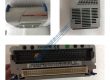
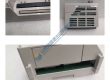
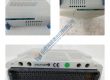
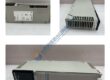
Product Core Brief
- Model: MVR1600-4601-A
- Brand: GE
- Series: MVR
- Core Function: Variable frequency drive for precise motor speed control in industrial applications.
- Type: AC Drive Module
- Key Specs:
- Power Rating: 1.6 kW
- Input Voltage: 460 V AC
- Control Type: V/f control, sensorless vector
Product Introduction
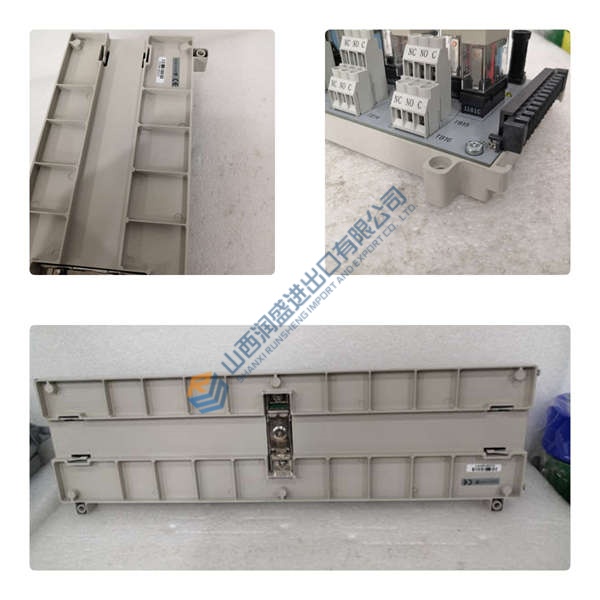
The GE MVR1600-4601-A is a variable frequency drive (VFD) module designed to control the speed and torque of 3-phase AC motors. With a power rating of 1.6 kW and a 460 V AC input, the MVR1600-4601-A delivers reliable motor control for various industrial applications, such as pumps, fans, and conveyors.
This drive module uses V/f control and sensorless vector control for efficient motor management. It offers easy integration and is an excellent choice for upgrading or replacing old drive modules. The MVR1600-4601-A ensures smooth operation and long-term reliability in demanding environments.
Installation & Configuration Guide
Phase 1 — Pre-Installation (est. 10 min)
- Safety: Ensure all power is disconnected and wait 5 minutes for any residual charge to dissipate.
- Tools: Anti-static wrist strap, screwdriver, voltage tester, multimeter.
- Backup: Record existing drive settings and take photos of all wiring and parameter configurations.
Phase 2 — Removal (est. 5 min)
- Label the wiring before disconnecting.
- Release any mounting screws and slide the drive module off the rail.
- Inspect the drive’s connectors and wiring for any signs of damage.
Phase 3 — Installation (est. 10 min)
- ESD Precautions: Ensure proper wrist strap and mat usage.
- Verify the part number of the replacement module matches the MVR1600-4601-A.
- Mount the drive securely on the DIN rail and ensure it is firmly in place.
- Reconnect all wiring according to the saved configuration (0.5 N·m torque).
Phase 4 — Power-On & Testing (est. 15 min)
- Verify Voltage: Ensure the input voltage is within the 460 V AC ±10% range.
- Observe LED indicators:
- Green = RUN
- Red = FAULT
- Yellow = READY
- Set the drive’s parameters using the keypad or software and load your program.
- Test the motor’s performance: check speed, direction, and torque during operation.
- Confirm stable operation for at least 30 minutes and log the swap in the maintenance record.
Troubleshooting Quick-Reference:
- No output → Check the drive’s input voltage and wiring.
- FAULT LED steady → Review fault codes via the display or communication port.
- Erratic motor behavior → Verify parameter settings and motor load.
Siemens PLC 6ES5-451-4UA12/6ES54514UA12 Output NEW!!!
Modicon AS-P890-000/ASP890000 Remote I/O Adapter
NICE!! Allen Bradley 1771-ES/1771ES
Omron V670-CD1D/V670CD1D NEW!!!!!
Allen Bradley 1746-HSTP1/1746HSTP1 Series E SEALED!!!
Modicon PC-A984-130/PCA984130
Allen Bradley 1745-PT1/1745PT1 NEW!!!!!
Omron R7M-A03030-BS1/R7MA03030BS1 Motor Assembly NEW!!!
GE Fanuc IC-693-CMM-302/IC693CMM302 Series L NEW!!!!
GE Fanuc IC750VFD220/IC-750-VFD-220 NEW!!!!!!
Reliance Electric 57405-E/57405E / 0-57405-E
Siemens 6ES5-306-7LA11/6ES53067LA11 FACTORY SEALED!!!!
Siemens 6ES5-306-7LA11/6ES53067LA11 FACTORY SEALED!!!!
Siemens 6ES5-451-7LA11/6ES54517LA11 FACTORY SEALED!!!!
Reliance Electric 57C404A/57C404/57C-404A/57C404-A