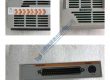
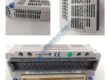
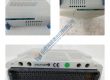
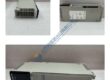
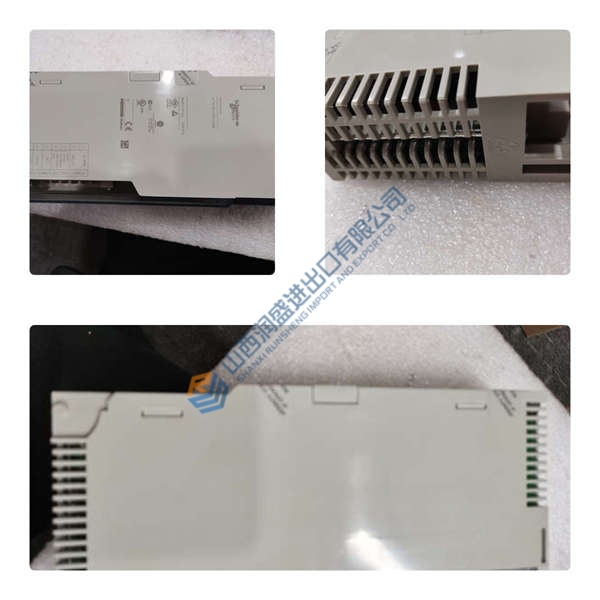
Product Core Brief
- Model: MVRL2100-4601-SC
- Brand: CONVERTEAM
- Series: MVRL
- Core Function: Variable frequency drive for controlling 3-phase AC motors with precise speed and torque regulation.
- Type: AC Drive Module
- Key Specs:
- Power Rating: 2.1 kW
- Input Voltage: 460 V AC
- Control Type: V/f control, sensorless vector
Product Introduction
The CONVERTEAM MVRL2100-4601-SC is a high-performance variable frequency drive (VFD) designed for industrial applications requiring precise control of 3-phase AC motors. With a 2.1 kW power rating and 460 V AC input voltage, the MVRL2100-4601-SC offers robust motor management for systems such as pumps, conveyors, and HVAC units.
Built with V/f control and sensorless vector control, this drive delivers efficient motor operation across varying loads. It’s a direct replacement for legacy systems, providing an easy upgrade path without extensive reconfiguration. The MVRL2100-4601-SC ensures reliable operation and seamless integration into automation environments.
Installation & Configuration Guide
Phase 1 — Pre-Installation (est. 10 min)
- Safety: Ensure the system is powered off, and wait 5 minutes to allow any residual charge to dissipate.
- Tools: Anti-static wrist strap, flathead screwdriver, multimeter, voltage tester.
- Backup: Document all wiring configurations, control parameters, and motor settings.
Phase 2 — Removal (est. 5 min)
- Label the wiring to ensure correct reinstallation.
- Release the drive from its DIN rail mount and carefully remove it from the system.
- Inspect connectors for any signs of wear or corrosion.
Phase 3 — Installation (est. 10 min)
- ESD Precautions: Use an anti-static wrist strap and grounded work surface.
- Verify the replacement module’s part number matches the MVRL2100-4601-SC.
- Mount the drive securely to the DIN rail and ensure it is properly seated.
- Reconnect wiring as per the saved configuration (0.5 N·m torque).
Phase 4 — Power-On & Testing (est. 15 min)
- Verify Voltage: Ensure input voltage is within the range of 460 V AC ±10%.
- Observe the LEDs:
- Green = RUN
- Red = FAULT
- Yellow = READY
- Program the drive via keypad or communication port (RS485).
- Test the motor for speed, direction, and torque.
- Run the system for 30 minutes and ensure stable operation before logging the swap.
Troubleshooting Quick-Reference:
- No output → Check wiring and input voltage.
- FAULT LED steady → Review fault code and check parameters.
- Erratic motor operation → Verify motor load and control settings.
LKB 2088 Ultrotome 3-Piece System
Molecular Dynamics 425S PhosphorImager
Motorola Type MC1XXX Chassis w/ MVME & Simpact
Konica Minolta SRX-201A Mid-Volume Processor
NetScout Multiport Fast Ethernet 4Port 8241ET/128 Probe
NetScout MultiPort T1/D WAN Probe Model 8714ET/128
Credence PN: 96923170-06 Pin Slice 4 Board Schlumberger
Sorvall Ultra-Speed T-865 Titanium 8-Place Rotor
Cencorp. 540 Series Printed Circuit Board PCB Profiler
Soyee SY-31-90P Portable X-Ray Unit + MORE for Vet Use
AMETEK AEI TECHNOLOGIES CD-3A CARBON DIOXIDE ANALYZER +
Allen Bradley T60 Panel Mount Controller 6160-PCD2/C
Tokyo Electron Yamanaski P-12XL AQA-K09-TYP2 Chiller
Perkin-Elmer 3030 Atomic Absorption Spectrometer Zeeman
Disco Fully Automatic Dicing Saw DFD-2HSTI
Weresch Automat SBA-80 Automatic Cut & Bend Machine