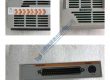
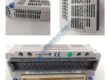
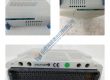
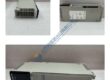
Product Core Brief
- Model: MVS3012-4002
- Brand: CONVERTEAM
- Series: MVS
- Core Function: Variable frequency drive for controlling 3-phase AC motors, enhancing efficiency and performance.
- Type: AC Drive Module
- Key Specs:
- Power Rating: 3.0 kW
- Input Voltage: 460 V AC
- Control Type: V/f control, sensorless vector
Product Introduction
The CONVERTEAM MVS3012-4002 is a high-performance variable frequency drive (VFD) designed for controlling 3-phase AC motors in industrial applications. With a 3.0 kW power rating and 460 V AC input, the MVS3012-4002 provides precise motor speed and torque control, ensuring reliable performance in demanding environments like HVAC systems, pumps, and conveyors.
This drive uses V/f control and sensorless vector control to optimize motor efficiency and load handling. The MVS3012-4002 is a drop-in replacement for older systems, offering an easy upgrade path with minimal downtime. It is engineered for ease of integration, with advanced protection features to safeguard both the drive and motor.
Installation & Configuration Guide
Phase 1 — Pre-Installation (est. 10 min)
- Safety: Ensure the system is powered off, and wait 5 minutes for any residual charge to dissipate.
- Tools: Anti-static wrist strap, flathead screwdriver, multimeter, voltage tester.
- Backup: Document the current drive settings, motor configurations, and wiring layout with photos.
Phase 2 — Removal (est. 5 min)
- Label all wiring before disconnecting.
- Release the drive from its DIN rail mount and remove it.
- Inspect connectors for wear, corrosion, or damage.
Phase 3 — Installation (est. 10 min)
- ESD Precautions: Use an anti-static wrist strap and grounded mat.
- Verify the part number of the replacement module matches the MVS3012-4002.
- Mount the drive securely on the DIN rail and ensure it is properly seated.
- Reconnect the wiring following the saved configuration, torquing connections to 0.5 N·m.
Phase 4 — Power-On & Testing (est. 15 min)
- Verify Voltage: Confirm the input voltage is within 460 V AC ±10%.
- Observe the LED indicators:
- Green = RUN
- Red = FAULT
- Yellow = READY
- Program the drive using the keypad or through RS485 communication.
- Test the motor’s speed, torque, and direction during operation.
- Confirm stable operation for at least 30 minutes, then log the swap.
Troubleshooting Quick-Reference:
- No output → Verify input voltage and wiring.
- FAULT LED steady → Check fault codes and system parameters.
- Erratic motor operation → Recheck motor specifications and control settings.
GDP Space Systems Frame Sync Decommutator FSD001 SGLS
Coherent Innova 200 Laser Sys Controller & Power Supply
Texas Instruments TI 505 System 8-Slot Chassis + MORE
Credence PN: 96924122-0E PEC5 Top Level Board
Carr Lane Roemheld 8408-800 SwiftSure Air Power Unit
Beckman JA-13 Rotor, Fixed Angle, 4-Tube, 13,000RPM
MET BEL Metal Bellows MB-601 High Pressure Vacuum Pump
Micro Memory MM-6296 DRAM Memory Module VME Board
Beckman JA-14 Rotor, Fixed Angle, 6 x 250 mL, 14,000RPM
Micro Memory MM-6496 DRAM Memory Module VME Board
Dalmec Industrial Manipulator Aero-Motive Pow-R-Mate
Gilford Instruments Response Spectrophotometer
GBC General Binding Corp AP-1 Automatic Comb Punch AP1
Domnick Hunter RDM0785 Eco-Smart Cycling Air Dryer
Koldwave 2K26DB12 Water-Cooled Air Conditioner A/C
Entegris NT Integrated Flow Controller 6500 Series
Ford New Holland IMS E643 Engine LGT 14D Tractor Frame
Orion Instruments 9250/60 OmniLab Test Station