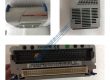
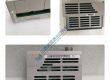
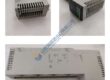
Product Core Brief
- Model: MX150
- Brand: GE
- Series: MX
- Core Function: Modular industrial controller for automation systems with up to 150 I/O points.
- Type: PLC (Programmable Logic Controller)
- Key Specs:
- I/O Points: 150
- Communication: Ethernet, Modbus TCP
- Memory: 256 KB program memory
Product Introduction
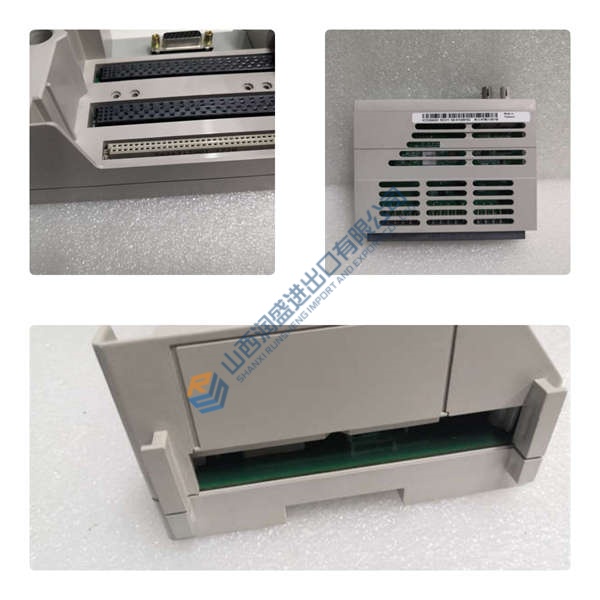
The GE MX150 is a compact yet powerful programmable logic controller (PLC) designed to handle demanding industrial automation tasks. With a capacity for up to 150 I/O points, the MX150 is ideal for systems requiring flexible and scalable control solutions, such as conveyor systems, process control, and manufacturing equipment.
Featuring Ethernet and Modbus TCP communication protocols, the MX150 ensures seamless integration with industrial networks. Its 256 KB program memory allows for more complex applications, making it a reliable solution for controlling a variety of processes.
Installation & Configuration Guide
Phase 1 — Pre-Installation (est. 10 min)
- Safety: Disconnect power and wait for 5 minutes to allow for discharge.
- Tools: Anti-static wrist strap, screwdriver, multimeter, voltage tester.
- Backup: Record existing configuration settings and take note of the I/O wiring setup.
Phase 2 — Removal (est. 5 min)
- Label the wiring connections before disconnecting.
- Release the unit from its DIN rail and remove it carefully.
- Inspect the backplane and connectors for signs of wear or damage.
Phase 3 — Installation (est. 10 min)
- ESD Precautions: Wear wrist strap and ensure the work surface is grounded.
- Verify the part number of the replacement unit.
- Mount the MX150 securely on the DIN rail. Ensure proper seating and secure the unit.
- Reconnect the wiring per the documented configuration (tighten connections to 0.5 N·m torque).
Phase 4 — Power-On & Testing (est. 15 min)
- Verify Voltage: Ensure input voltage is within 24 V DC ±10%.
- Check for LED indicators:
- Green = RUN
- Amber = Fault
- Red = System error
- Use the GE Proficy software to configure and download the program.
- Test I/O communication by verifying input and output points are functional.
- Run the system for 30 minutes and ensure stable operation.
Troubleshooting Quick-Reference:
- No communication → Check Ethernet connections, IP configuration, and cables.
- Fault LED steady → Review fault codes via the system interface.
- I/O not functioning → Verify wiring and I/O assignments in the program.
RadiSys Applied Materials AMAT PENT P133 PN: 61-0532-40
Tektronix CP1160 w/ DEC Digital 1135-FC & 11/40HK
Perkin-Elmer 560 Atomic Absorption Spectrophotometer +
Santa Clara Plastics SCP 1400A Water Recirculator
Panametrics XMT868-2-11-TO-0011 Transmitter UPT868
Omron Sysmac C60P Programmable Controller
RadiSys Multibus II SBC386/258 SBC386258SM w/ MORE +
IEC Micromax Refrigerated Microcentrifuge B135
Square D ATV66D33N4 Altivar 66 Speed Drive Controller
Telemecanique LC1F1154 Contactor 600VAC 200AMP
Telemecanique LC1FF44 Contactor 600VAC 200AMP