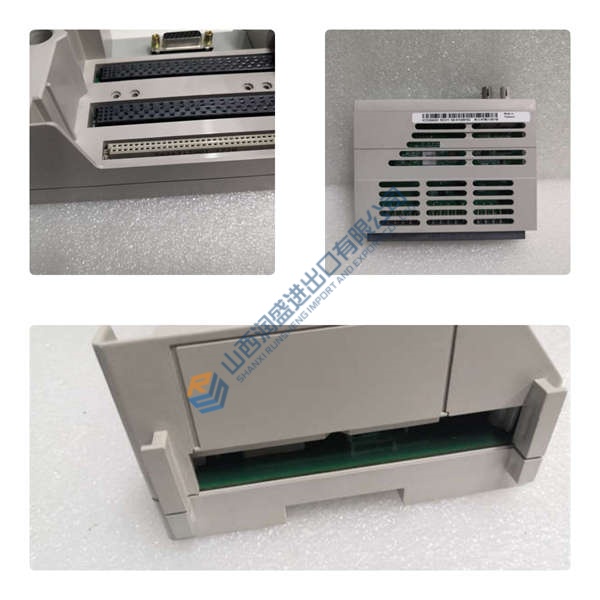
Description
ProSoft MVI56E-MCM is a serial Modbus communication module designed for CompactLogix and MicroLogix platforms, enabling PLC integration with Modbus RTU field devices through RS-232 or RS-485 interfaces. It installs in a 1769-style backplane and exchanges data using tag-based mapping within RSLogix 5000 environments.
Built for mixed-protocol systems, it supports both Modbus master and slave modes, allowing the PLC to poll instruments or act as a slave node. In practice, this flexibility reduces external gateway requirements and keeps data handling inside the control rack — honestly, that simplifies maintenance quite a bit.
Phase 1 — Pre-Installation (est. 10 min)
De-energize rack. Wait 5 min. Tools: laptop (RSLogix 5000 + ProSoft Config Builder), serial cables (RS-232/485), screwdriver, labels, multimeter. Back up PLC program and communication mapping. Photograph wiring and slot layout.
Phase 2 — Removal (est. 5 min)
Label serial lines (A/B, TX/RX). Release module latch and pull straight out. Inspect backplane pins — even slight bending causes intermittent faults.
Phase 3 — Installation (est. 10 min)
Wear ESD strap. Confirm module type and slot compatibility. Insert until latch clicks. Connect RS-232 or RS-485 wiring (verify polarity on A/B lines). Configure baud rate, node ID, and Modbus command structure using ProSoft tools.
Phase 4 — Power-On & Testing (est. 15 min)
Apply power. Check LED status. Use terminal or PLC tags to verify communication. Test Modbus reads (FC03/FC04) and writes (FC06/FC16). Run stable polling for >30 min and confirm no timeout errors.
Troubleshooting quick-reference:
• No comms → check baud rate, parity, wiring polarity
• Data incorrect → verify register addressing (0-based vs 1-based)
• Intermittent faults → inspect shielding and grounding
Bell Jar Vacuum Furnace Chamber Quartz Graphite Pump
Holmes HV2000 Blower Vacuum Pump 1400.0 CFM
77cf Vacuum Chamber over 48″ with 46 Ports wide SS !!!!
Siva M-60 Solvent Recovery Unit With Vacuum Pump
VACUUM TEST PUMP TRAILER MOUNTED AIRVAC
Varian TV1001 Navigator Turbomolecular Pump NEW
One-day shipping available
BOC Edwards IH600 Dry Vacuum Pump With display terminal
Varian High Vacuum HS-32 Diffusion Pump
BUSCH MINK / MERLIN DRY CLAW VACUUM & COMPRESSOR *NEW*
Used- Stokes Microvac Rotary Piston Vacuum Pump, model
Used- Stokes Microvac Rotary Piston Vacuum Pump, model
Used- Stokes Microvac Rotary Piston Vacuum Pump, model
Used- Stokes Microvac Rotary Piston Vacuum Pump, model
Alcatel R601B / 2063+ Roughing Pump and Roots Blower Co
Republic Regenerative Blower HRB1502 ring side channel
Up to 776 cfm and 189″H2O (Pressure) or 189″H2O(Vacuum)