
Description
Product Introduction
Comparison lead — compared with older ACS600 control platforms, the ABB RDCU-12C adds higher-speed communication, expanded programmable I/O, and improved diagnostics for ACS800 industrial drives. You’ll usually see this controller inside mining conveyors, paper machines, and high-power pump systems where torque stability matters more than cosmetic features.
Supporting ABB Direct Torque Control (DTC), this unit reacts to load changes within milliseconds and maintains precise low-speed motor regulation. In field deployments of ACS800 systems, the coated PCB construction actually survives dusty MCC environments surprisingly well — though cabinet ventilation still matters. Fiber-optic PPCS communication reaches 10 MBd, and optional Modbus RTU integration simplifies PLC connectivity.
Installation & Configuration Guide
Phase 1 — Pre-Installation (est. 10 min)
- Lock out incoming supply completely.
- Wait minimum 5 minutes for DC bus discharge.
- Required tools: Fluke 115 multimeter, ESD wrist strap, insulated torque screwdriver, ABB DriveWindow software.
- Export all drive parameters before removal.
- Photograph jumper settings, Group 99 parameters, terminal wiring, and fiber routing. Photo. Photo. Photo.
Phase 2 — Removal (est. 5 min)
- Label every terminal wire before disconnecting.
- Disconnect PPCS fiber carefully; minimum bend radius matters.
- Pull the module perpendicular to the mounting plane.
- Inspect connector pins and optical ports for oxidation or debris.
Phase 3 — Installation (est. 10 min)
- Attach ESD strap before handling the board.
- Verify exact model and firmware family.
- Replicate all DIP switch and jumper settings from reference photos.
- Seat the controller until latch engagement is confirmed.
- Tighten terminals to approximately 0.5 N·m.
- Verify shield grounding method before reconnecting fieldbus cables.
Phase 4 — Power-On & Testing (est. 15 min)
- Confirm 24 V DC supply remains within ±10%.
- Observe startup LEDs:
- Green = RUN
- Red flash = ERR
- Amber flash = DIAG
- Connect using DriveWindow or fieldbus master software.
- Download parameters and verify communication handshake.
- Run one complete motor control loop and monitor current stability.
- Maintain operation >30 minutes while checking temperature rise.
- Record firmware revision and maintenance log entry.
Troubleshooting Quick-Reference
- No communication → inspect fiber polarity and Modbus address
- ERR LED steady → firmware mismatch likely
- Download timeout → check DriveWindow version and adapter
- Motor oscillation in DTC → verify Group 99 parameters and encoder setup
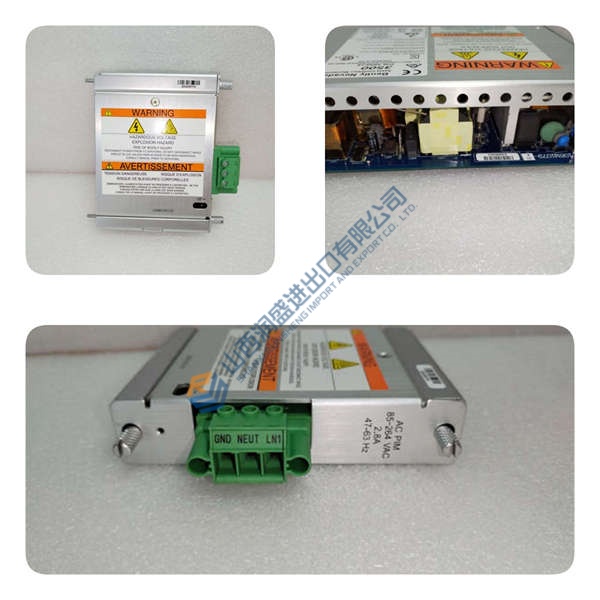
ABB ASEA Board YPR 104 2668 184-736/1 2668184-736/1
Videojet Technologies 358161-B 358160c Video Jet Card
Reliance Board Card USA1 S-25015 MA-25025 3025514B
NEW ABB 10564930 LED MONITORING NLMD-01CMD 64008447B
NEW Omron PLC CARD C200HOA222 C200H-OA222
Allen Bradley 1791DS-IB8XOB8 1791DSIB8XOB8 CompactBlock
Bently Nevada Thrust Monitor 7200 series 7200 TP-R
Allen Bradley AB Renewal Parts Kit 135110 SP-135110 NEW
HP AGILENT 5335A UNIVERSAL COUNTER
Toyoda Module Card MC256-S090 MS256 S090 MC256S090
ABB ASEA YPQ104 YPQ 104 2668 184-480/1 2668184-480/1
Modicon AEG Micro CPU 110 CPU 512 03 110CPU51203
KAWASKI TEACH PENDANT T03004103 50817 50817-1045R01
Allen Bradley High Resolution Card Module 1771-NIV1 A
Foxboro 556 556-9-43 Pneumatic Analog Computer
HONEYWELL RM7890 A 1056 FLAME AMPLIFIER
Rexroth 1″ Filter R432003072 AS5-FRE-N100-GAU NEW
NEW BUSSMAN JCL-12R FUSE 230 AMP JCL12R 230 A 230A
Reliance DC1-62U DC1 VS DRIVE DC162U 1-2 HP CONTROLLER
AB Allen Bradley 1772-LWP ser D MINI-PLC-2/17 PROCESSOR
Allen Bradley Starter 100-A45NZ*3 100-A45N 100-A45NZ3



