Description
Product Introduction
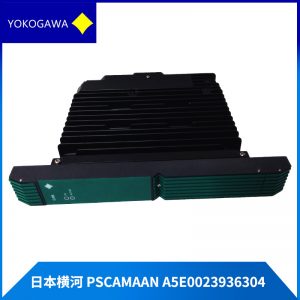
A processor failure in a DCS Field Control Unit can isolate critical process loops and force emergency plant shutdowns. The YOKOGAWA CP451-51 provides fault-tolerant execution of continuous control algorithms and high-speed telemetry across demanding petrochemical, power generation, and pharmaceutical processing plants. Designed specifically for Yokogawa CENTUM systems, it installs directly into FFCS / FCU node racks without requiring rack backplane modifications.
In field deployments across CENTUM VP architectures, this module supports seamless dual-redundant pairing, transferring control functions instantly without interrupting field I/O scans. The YOKOGAWA CP451-51 integrates into System View engineering software to keep plant control networks operating smoothly. Listed prices serve as a baseline market reference; actual costs depend on global surplus availability and current lead times. Contact our procurement team directly to request an exact quote.
Installation & Configuration Guide
Phase 1 — Pre-Installation (est. 10 min)
Verify that the secondary standby CPU in a redundant pair is active before servicing the target processor slot. Assemble a flathead precision screwdriver, torque driver, ESD grounding wrist strap, and a digital multimeter. Backup active control database files and system project logic using Yokogawa System View / System Builder. Take clear photos of all node switch settings, cable connections, and slot positioning on the active YOKOGAWA CP451-51 module.
Phase 2 — Removal (est. 5 min)
Label all network jumpers and diagnostic cables before disconnecting them. Loosen the top and bottom captive thumbscrews on the module front panel. Disengage the card ejector levers by pulling them outward simultaneously. Carefully slide the processor card straight out along the rack guide channels. Inspect the backplane gold pins inside the chassis for bent contacts or dust.
Phase 3 — Installation (est. 10 min)
Put on your ESD wrist strap and attach its grounding clip to the cabinet enclosure frame. Remove the replacement YOKOGAWA CP451-51 from its anti-static shielding bag. Verify DIP switch settings and node address switches match the original card layout. Align the card edge with the rack guide rails, sliding it steadily inward until the ejector levers contact the frame lip. Press levers flush to seat the board into the backplane, then tighten captive panel screws to ~0.5 N·m. Reconnect diagnostic cables.
Phase 4 — Power-On & Testing (est. 15 min)
Verify rack power supply health before energizing the cabinet. Turn on power. Observe the front panel LED boot sequence: STATUS LED turns steady green, DIAG LED clears following self-check completion, and DUP/RED LED shows active redundancy tracking. Access System View to download system software parameters, verify CPU synchronization, and perform a online diagnostic check. Monitor control cycle timing for 30 minutes before returning the slot to full primary status. Log the replacement details in your maintenance record.