Description
Product Introduction
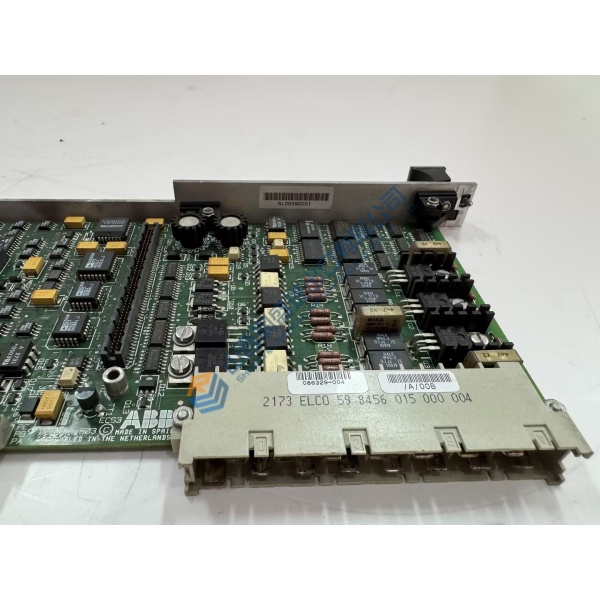
Unexpected processor failovers in refinery control loops usually point to a degraded main controller board. The CC-PCNT02 51454551-275 Honeywell process controller module addresses execution latency and communication dropouts by executing high-speed control blocks across Experion PKS architectures. Built specifically for Honeywell C300 system topologies, this central processing unit processes continuous, batch, and discrete control schemes while maintaining deterministic execution cycles within a tight ±0.1 ms margin under heavy I/O polling loads.
In-field process plant deployments prove that upgrading to a fully tested C300 processor keeps FTE network recovery times under 10 ms during primary node switchovers. Swapping out an aging processor module restores stable execution of complex PID loops and safety interlocks immediately. In my experience, running legacy processing cards near thermal memory limits is a risk that invites unexpected unit trips during major plant load changes. This unit ships fully tested from clean surplus warehouse stock, enabling engineers to clear system hardware alarms before scheduled turnarounds.
Key Technical Specifications
- Parameter: Value
- Part Number: 51454551-275
- Model Number: CC-PCNT02
- Manufacturer: Honeywell
- System Family: Experion PKS C300 DCS
- Module Type: Main Process Controller Module
- Logic Input Voltage: 24 V DC (21.6 to 26.4 V DC operating range)
- Power Dissipation: 12 W maximum under full processor load
- Network Interfaces: Dual-redundant Fault Tolerant Ethernet (FTE) ports
- Operating Temperature: 0 to +60 °C (+32 to +140 °F)
- Mounting Style: C300 I/O Input Output Termination Assembly (IOTA) slot
- Conformal Coating: ISA G3 harsh environment conformal coating standard
Installation & Configuration Guide
Phase 1 — Pre-Installation (est. 10 min) Disconnect main power sources to the cabinet IOTA block. Wait 5 minutes to allow power supply smoothing capacitors to discharge completely. Assemble a T15 Torx driver, an ESD grounding wrist strap, and a digital multimeter. Perform a full database backup of the controller node using Honeywell Control Builder software. Photograph rear address rotary switches, jumper configurations, and FTE network cable connections before removing the existing unit.
Phase 2 — Removal (est. 5 min) Label both FTE yellow and green Ethernet cables attached to the module base. Unfasten upper and lower retaining screws securing the faceplate to the IOTA board. Disengage the top and bottom ejector latches simultaneously, sliding the unit straight out along its guide tracks to protect edge connector gold fingers from mechanical scoring.
Phase 3 — Installation (est. 10 min) Wear your connected ESD wrist strap throughout the installation process. Check the CC-PCNT02 51454551-275 part number label on the side casing to confirm hardware compatibility. Set the node address rotary switches to match your original photo reference exactly. Align the controller with the IOTA slot rails, slide it inward smoothly until the backplane connectors seat firmly, and torque faceplate screws to 0.5 N·m before reconnecting FTE patch cables.
Phase 4 — Power-On & Testing (est. 15 min) Apply 24 V DC auxiliary power to the IOTA assembly. Monitor front diagnostic status LEDs during startup: the green OK LED must illuminate solid, while red FAIL lights should turn off after self-diagnostics finish. Launch Control Builder on your Experion workstation, establish a device connection, and check module hardware status. Load controller strategy files, initiate a cold or warm restart as required by your process safety procedure, and confirm stable loop execution across all assigned I/O channels for at least 30 minutes.
Troubleshooting Quick-Reference
- FAIL LED Solid Red: Firmware corruption or internal memory check error. Attempt a hardware reset and reload system boot files via Control Builder.
- FTE Comm Failure / Cable A/B Fault: Check Ethernet cable termination. Verify FTE switch port configuration and node address switch settings using a Fluke 115 multimeter to verify 24 V rail supply stability.
- IOTA Backplane Error: Inspect rear edge connectors for dust or bent pins. Re-seat module firmly into the terminal assembly.