Description
Product Introduction
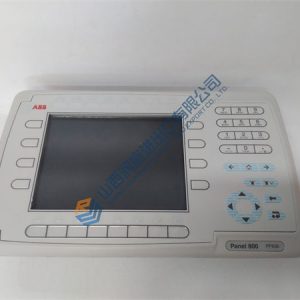
GE IC754VSL06MTD is an industrial 6-inch monochrome operator interface computer from the QuickPanel View family. Running on the 32-bit Windows CE operating system, this module delivers localized machine monitoring and control for legacy manufacturing lines, processing cells, and OEM equipment skid controls.
The unit integrates dual serial communication ports alongside a fast Ethernet interface, allowing direct protocol bridging between GE Series 90-30 or PACSystems controllers and third-party PLCs. Its compact panel-mount design allows easy integration into space-constrained control enclosures without sacrificing runtime reliability.
Frequently Asked Questions
Q: Are these HMI units factory-new or surplus, and how are they verified before shipment?
A: OEM production for this product line is discontinued, so available stock consists of thoroughly tested new surplus or reconditioned modules. Every GE IC754VSL06MTD undergoes a comprehensive 5-step SOP inspection process:
- Inbound Inspection: Customs documentation traceability, anti-counterfeit serial checks, bezel gasket check, and touchscreen overlay physical inspection.
- Live Functional Testing: Installed on a bench rig to verify power-on self-test, Windows CE OS boot sequence, touch digitizer calibration, Ethernet/serial comms handshakes, and a >24 hr continuous display burn-in test.
- Electrical Testing: Grounding continuity verification and insulation resistance testing using a 500 V Megger (>10 MΩ target).
- Firmware & Software Verification: Documenting the exact OS build, verifying runtime license keys, and testing CompactFlash slot read/write access.
- Final QC & Packaging: Sealed in anti-static bags, cushioned with heavy bubble wrap, and labeled with a physical QC Passed tag.
Q: Can the GE IC754VSL06MTD be hot-swapped while the control panel is powered on?
A: No, you should never hot-swap this operator terminal. Always isolate the 24 V DC power source before disconnecting terminal blocks or cabling. Unplugging the main DC connector or serial lines while powered risks corrupting the Windows CE file system on internal flash memory and causing communication faults across connected serial networks.
Q: What common installation mistakes should technicians avoid during replacement?
A: Based on field service experience, we advise taking precautions against five common technical pitfalls:
- OS & Runtime Rev Mismatch: Running a project file compiled for a different Proficy Machine Edition or Cimplicity ME runtime version can prevent application startup. Verify runtime versions before loading project files.
- Serial DIP Switches & Pinouts: Check hardware DIP switches or jumper settings for RS-232 vs RS-485 configuration on the original unit before mounting.
- Gasket Seal & Panel Cutout: Inspect the panel cutout gasket. Failing to seat the NEMA 4X seal correctly allows moisture and oil mist inside the enclosure.
- Power Supply Margin: Ensure the 24 V DC power bus has a 20% capacity margin left to absorb initial inrush current during display power-up.
- ESD Protection: Electrostatic discharge can instantly ruin internal motherboard components. Always use a grounded anti-static wrist strap when touching rear communication terminals.
Q: Will I lose the HMI runtime application program when replacing a failed module?
A: The runtime program is stored in the non-volatile flash memory of the unit or on an external CompactFlash card. If the original display motherboard is non-functional and no CompactFlash backup exists, you must reload the compiled HMI project file (.asp or runtime binary) from your master Proficy Machine Edition programming software backup over Ethernet or serial connections.
Q: What upgrade path exists if this exact GE unit is out of stock?
A: Direct replacement requires matching the physical panel cutout, 24 V DC input, and serial/Ethernet communication protocols. Modern migration pathways usually involve stepping up to a GE QuickPanel+ 6-inch or 7-inch color display, which may require converting the project file in Machine Edition and adjusting the enclosure cutout dimensions. Contact our application engineers with your panel drawings for retrofit assistance.