Description
Product Introduction
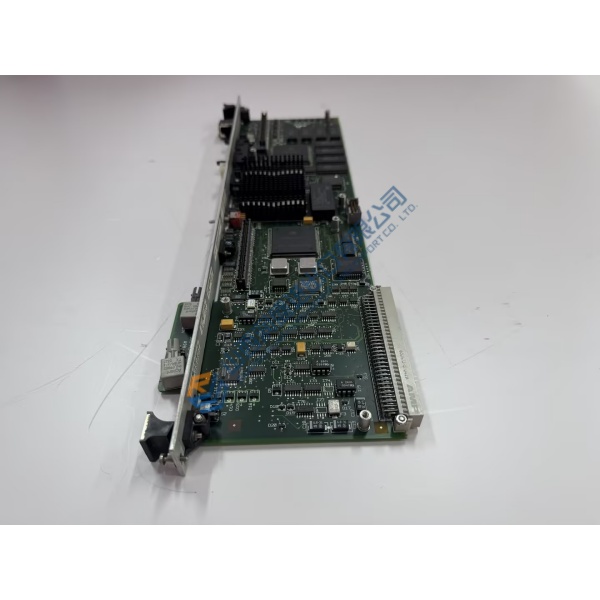
Packet loss and intermittent network dropouts inside turbine control panels usually point to an aging Ethernet switch struggling under heavy broadcast traffic. The IS420ESWAH2A GE Ethernet switch module resolves network degradation by delivering dedicated, high-speed signal routing across Mark VIe control networks (IONet). Engineered specifically for rugged power generation and heavy industrial environments, this 16-port industrial switch maintains low-latency data frames across redundant control networks without dropping critical sensor telemetry.
Field performance logs from combined-cycle power plants verify that replacing a degraded network switch restores zero-loss Ethernet transmission across all connected I/O packs immediately. Swapping out worn networking hardware eliminates mysterious controller time-out alarms and keeps continuous turbine control loops stable. Truthfully, running end-of-life network switches in mission-critical trip circuits is a gamble that risks unexpected unit trips. This unit ships fully pre-tested from surplus warehouse stock, enabling maintenance teams to clear network fault codes prior to scheduled plant restarts.
Key Technical Specifications
- Parameter: Value
- Part Number: IS420ESWAH2A
- Functional Variant: ESWA (Ethernet Switch Module, Revision H2A)
- Manufacturer: General Electric (GE)
- System Family: Mark VIe / Mark VIeS Control Systems
- Module Type: Industrial Ethernet Switch Board
- Input Voltage: Dual 24 V DC nominal inputs (18 to 32 V DC operating range)
- Network Ports: 16 x RJ-45 10/100Base-TX shielded copper ports
- Operating Temperature: −30 to +65 °C (−22 to +149 °F)
- Mounting Format: Standard DIN-rail or panel backplate mounting
- Isolation Rating: 1,500 V RMS port-to-chassis galvanic isolation
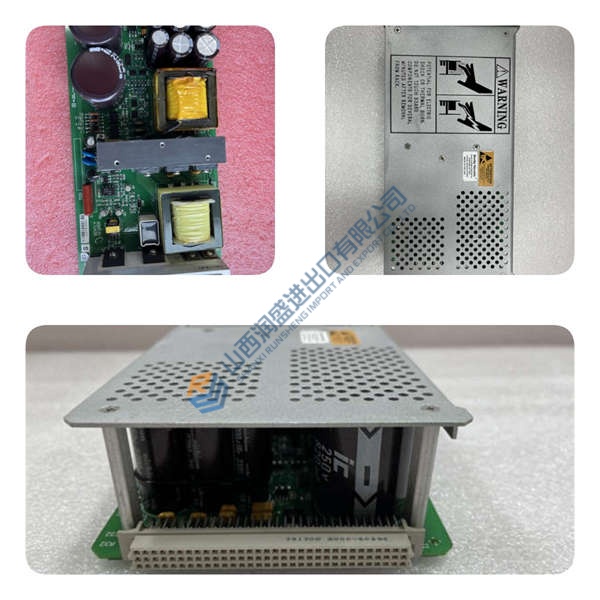
- Conformal Coating: Standard factory conformal coating for harsh environments
Installation & Configuration Guide
Phase 1 — Pre-Installation (est. 10 min) De-energize power feeds to the targeted control cabinet section. Wait 5 minutes for internal capacitors to discharge safely. Gather a flathead screwdriver, an ESD grounding wrist strap, and a digital multimeter. Label all connected Ethernet cables with their corresponding port numbers (Port 1 through 16) before pulling them. Photograph existing network topology and grounding strap wire paths.
Phase 2 — Removal (est. 5 min) Disconnect all CAT5e/CAT6 shielded Ethernet cables by pressing down on their RJ-45 retention clips. Unplug the 24 V DC terminal block connectors from the top/bottom power headers. Unfasten the module mounting screws or release the DIN-rail locking spring latch. Carefully lift the switch off the rail while ensuring chassis ground wires stay clear of nearby terminal strips.
Phase 3 — Installation (est. 10 min) Put on your grounded ESD wrist strap before handling replacement hardware. Confirm the IS420ESWAH2A part number on the side housing label matches your engineering drawing. Snap the module securely onto the 35 mm DIN rail or bolt it to the enclosure backplate. Torque the chassis earth ground lug to 1.2 N·m before re-attaching the 24 V DC redundant power terminal plugs and reconnecting shielded Ethernet patch cables according to your port photo.
Phase 4 — Power-On & Testing (est. 15 min) Reapply 24 V DC power to primary and secondary power rails. Observe the diagnostic status LEDs: power LEDs (PWR1/PWR2) must illuminate solid green. Verify that individual RJ-45 port Link/Activity LEDs illuminate and flicker green/yellow as IONet network traffic resumes. Open your ToolboxST workstation, check network device status, and confirm zero packet error counts across all active ports for 30 minutes before returning the cabinet to service.