Product Core Brief
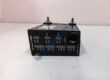
• Model: TCM-4355X • Brand: Triconex (Schneider Electric) • Series: Tricon System v10 Platform • Core Function: Manages high-speed Ethernet communications and network protocols between the Tricon safety controller and external DCS or host systems. • Product Type: Tricon Communication Module (TCM) • Key Specs: Dual fiber/copper Ethernet interfaces | OPC UA / Modbus TCP support | TMR system integration • Condition: New Original (New Surplus)
Product Introduction
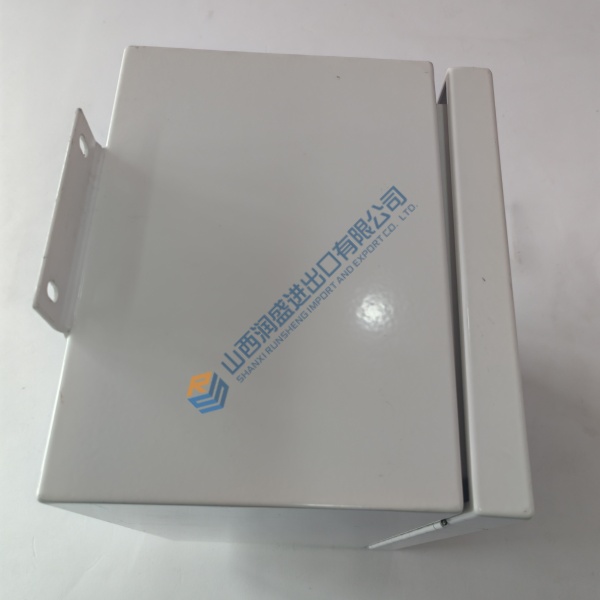
Triconex TCM-4355X is a high-performance communication module designed for Tricon v10 safety instrumented systems (SIS). The module bridges the Triple Modular Redundant (TMR) safety controller with external distributed control systems (DCS), human-machine interfaces (HMIs), and engineering workstations without compromising the safety integrity of the main processor loop.
This unit supports dual redundant Ethernet connections and handles multiple concurrent industrial protocols, including TSAA and Modbus TCP. Installing this module ensures high-throughput, low-latency telemetry while preserving SIL3 safety isolation across your plant automation infrastructure.
Quality Control & Testing Process
- Inbound Inspection: Trace origin documentation against packing lists. Check anti-counterfeit markings, verify serial numbers, and inspect gold backplane edge connectors for corrosion, mechanical scratches, or damaged pins.
- Live Functional Testing: Slot the module into a Tricon v10 main chassis. Perform power-on self-test (POST), establish active communication handshakes via TriStation and Modbus TCP test benches, execute continuous I/O data routing, and run load testing for >24 hours.
- Electrical Testing: Check communication port isolation and backplane line insulation resistance using a 500 V Megger to ensure readings exceed 10 MΩ. Test grounding continuity across chassis ground contacts.
- Firmware Verification: Read and record the exact firmware release version using TriStation diagnostic tools. Archive network address tables and configuration settings prior to repacking.
- Final QC & Packaging: Enclose the module inside an anti-static shielding bag. Cushion with industrial bubble wrap inside a heavy-duty container and apply a QC Passed verification label.
Technical Pitfall & Installation Guide
• Firmware Rev Mismatch: Installing a module running a firmware release incompatible with the main processor’s system software will cause communication rejection or TriStation download faults. Always verify and match the firmware version before inserting the replacement. • DIP Switch/Jumper Errors: Incorrect network configuration or slot address settings will prevent the module from acquiring its IP address or participating in redundant switching. Photograph and match the hardware configurations of the old module prior to installation. • Terminal/Wiring Incompatibility: Verify fiber connector types (ST/LC) or RJ-45 shielding requirements before connecting network cabling. Placing unshielded communication cables next to high-voltage AC lines introduces noise and packet loss. • Power Supply Constraints: While backplane current draw is regulated, running dual communication modules increases the load on the chassis power modules. Confirm the Tricon power supply modules maintain at least a 20% power margin. • ESD Protection: Electrostatic discharge can instantly ruin high-speed physical layer transceivers. Wear a grounded anti-static wrist strap whenever handling or inserting the unit into the chassis.
Frequently Asked Questions
Q: Does the Triconex TCM-4355X support live hot-swapping in an active safety system? A: Honestly, while Tricon v10 hardware supports online module insertion and removal, you must handle communication modules with care. Removing an active module shifts communication load to its redundant partner if present. Always verify that the secondary communication path is healthy in TriStation before pulling the primary unit.
Q: What is the most common mistake when replacing this module? A: In our experience, the most common mistake is failing to reassign or verify network security and IP parameters in TriStation. If the replacement module does not match the IP configuration expected by the host DCS or OPC server, external communications will drop immediately even if the hardware status LEDs show normal.
Q: Will I lose the network and protocol configuration when I swap out this hardware? A: Yes, communication parameters and node mappings are stored in the module’s non-volatile memory. Before removing the old unit, upload and save the system project file using TriStation 1131. Once the new board is physically installed, download the communication configuration to restore system links.
Q: Are these units factory-new or refurbished surplus inventory? A: These boards are New Surplus stock sourced from verified safety system spares reserves, system integrator inventories, and canceled projects. They are genuine, uninstalled original hardware items that undergo complete electrical and live rack testing before shipment to guarantee proper functionality.