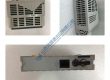
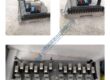
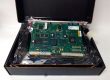
Product Core Brief
- Model: MAX-4/11/03/128/99/1/1/00
- Brand: ELAU / Schneider Electric
- Series: PacDrive M Series
- Core Function: Controls multi-axis servo motion and processes centralized plc logic programs.
- Type: Integrated Motion Controller
- Key Specs: 32-bit RISC processor, 128 MB RAM memory, SERCOS bus support
- Condition: New Original (New Surplus) — not refurbished
Product Introduction Tired of recurring bus synchronization faults on your packaging line? Deploying the ELAU MAX-4/11/03/128/99/1/1/00 controller resolves real-time motion axis jitter across complex multi-axis PacDrive M systems.
This unit coordinates synchronized servo motion profiles over optical SERCOS interfaces while handling machine logic. Operating this controller in high-speed bottling or cartoning machinery cuts servo update cycles down to sub-millisecond ranges.
Key Technical Specifications
- Manufacturer: ELAU GmbH (Schneider Electric)
- Part Number: MAX-4/11/03/128/99/1/1/00
- Product Line: PacDrive M
- Controller Type: Standalone Multi-Axis Motion Controller
- Main Memory: 128 MB RAM
- Processor Architecture: 32-bit RISC RISC Processor
- Communication Interfaces: SERCOS interface, Ethernet, CAN bus, RS232/RS485
- Input Supply Voltage: 24 V DC (±10%) auxiliary control supply
- Mounting Style: Control cabinet panel mounting
- Operating Ambient: +5 °C to +45 °C
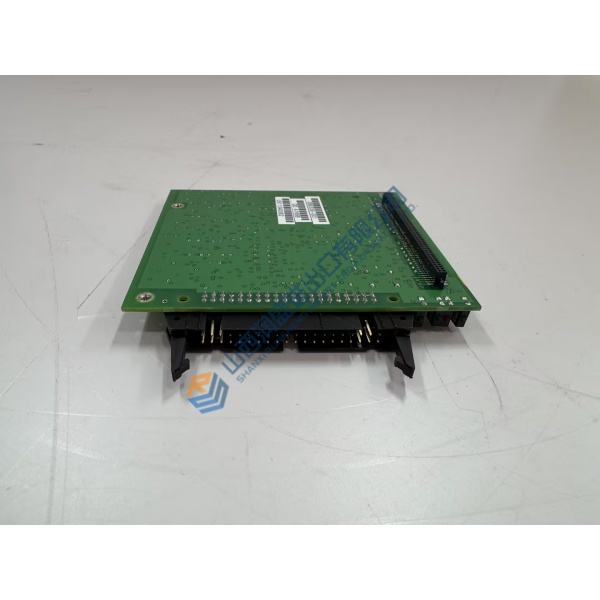
Installation & Configuration Guide
Phase 1 — Pre-Installation (est. 10 min) De-energize main supply circuit breakers feeding the control cabinet. Wait 5 full minutes for internal DC bus capacitors on adjacent servo drives to discharge safely below 50 V DC. Gather ESD wrist straps, terminal tools, and a Fluke 115 multimeter. Backup motion software parameters from EPAS-4 programming software. Photograph cable connections, fiber optic SERCOS routing, and address switches before touching hardware.
Phase 2 — Removal (est. 5 min) Disconnect fiber optic SERCOS cables carefully by pulling connector housings rather than fiber leads. Label and unplug removable terminal plugs and Ethernet cables. Loosen cabinet panel mounting screws. Lift the unit straight off mounting rails, taking care not to bend connector pins or scratch optical interfaces.
Phase 3 — Installation (est. 10 min) Put on an ESD wrist strap before opening protective packaging. Verify module tags confirm the ELAU MAX-4/11/03/128/99/1/1/00 matches your existing configuration string. Mount the unit onto enclosure backplates, tightening mounting screws to ~1.2 N·m. Replicate rotary hardware switches from old units. Reconnect fiber optic SERCOS loops carefully, ensuring minimum bend radius rules are respected. Re-plug terminal blocks, torqueing wiring screws to ~0.5 N·m.
Phase 4 — Power-On & Testing (est. 15 min) Apply 24 V DC control power; measure supply terminals to verify levels sit within 24 V DC ±10%. Observe front panel diagnostic LEDs: confirm power indicator lights green while optical link LEDs show active SERCOS communication. Connect EPAS-4 programming software via Ethernet or serial cable, download system configuration, and execute zero-speed motion checks. Run continuous full-axis testing for 30 minutes, checking event logs before logging the hardware swap in maintenance logs.
Troubleshooting Quick-Reference
- SERCOS Ring Error: Check fiber optic cable ends for dust, cracked glass, or tight bends exceeding limits.
- Boot Failure / ERR LED: Memory card issue or corrupt firmware; verify flash card seating and re-flash firmware.
- No Software Comm: Confirm workstation IP settings and inspect Ethernet patch cables.