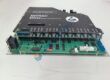
Product Core Brief
- Model: IS420UCSCH2B
- Brand: GE (General Electric)
- Series: Mark VIe / Mark VIeS UCSC
- Core Function: Dual-core real-time controller for Mark VIe and MarkStat applications
- Type: Controller Module
- Key Specs: QNX Neutrino OS; multiple Ethernet ports; dual-core processor
- Condition: New Original (New Surplus) — not refurbished
Product Introduction
GE IS420UCSCH2B is a dual-core controller module in the Mark VIe UCSC family. It runs the QNX Neutrino real-time operating system and handles high-speed control and MarkStat power-conversion applications.
The module communicates over IONet and standard Ethernet, supporting simplex configurations typical of this H2 variant. It provides the processing power needed for deterministic turbine and industrial control loops. Confirm exact firmware and ControlST compatibility before ordering.
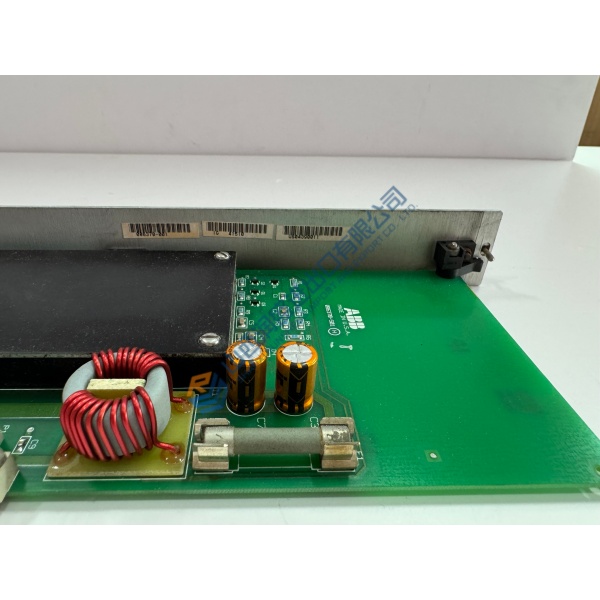
Installation & Configuration Guide
Phase 1 — Pre-Installation (est. 10 min)
De-energize the Mark VIe rack and wait a full 5 minutes for residual charge to dissipate. Tools required: Fluke 115 multimeter, ESD wrist strap, torque driver, camera. Back up the existing ControlST project and photograph every cable, Ethernet port assignment, and mounting orientation.
Phase 2 — Removal (est. 5 min)
Label every Ethernet and power connection. Release the module from its mounting. Pull it straight out of the rack. Inspect the backplane connectors and surrounding modules for damage.
Phase 3 — Installation (est. 10 min)
Attach the ESD strap. Confirm the part number matches IS420UCSCH2B. Seat the module firmly until fully engaged. Reconnect power and all Ethernet/IONet cables in the original order. Run a pre-power checklist: correct 28 VDC present, polarity correct, no shorts.
Phase 4 — Power-On & Testing (est. 15 min)
Apply control power and verify the module boots cleanly. Load or verify the ControlST application. Confirm IONet and Ethernet communication with I/O packs and HMI. Exercise one full control loop or MarkStat function. Confirm stable operation for at least 30 minutes. Log the swap in the maintenance record. Test photos or video available on request.
Troubleshooting quick-reference:
- No communication → check Ethernet/IONet cabling and port assignments
- Boot failure → verify power supply voltage and ControlST version compatibility
- Application mismatch → confirm firmware and project file match the original
Incoming Inspection & QC Process
Source traceability is confirmed against OEM packing lists or customs documents. Serial numbers and markings are verified. Physical inspection looks for corrosion, scratches, repair marks, or damaged connectors. Live functional test includes power-on self-check, Ethernet/IONet link verification, and basic ControlST handshake where possible. Insulation resistance is measured. Firmware version is recorded. Final packaging uses anti-static protection, bubble wrap, and a dated QC Passed label signed by the technician. Confirmed functional after all tests above. Test photos or video available on request.