Product Core Brief
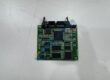
- Model: T8311 (Trusted Expander Interface Module)
- Brand: ICS Triplex / Rockwell Automation
- Series: Trusted Safety Instrumented System (SIS) / TMR Architecture
- Core Function: Manages fault-tolerant communication bus expansion between main processor chassis and remote expander chassis.
- Type: Trusted Expander Interface Module (Processor Chassis Side)
- Key Specs: Triple Modular Redundant (TMR) expansion link, high-speed optical/copper inter-rack bus, SIL 3 safety rated
- Condition: New Original (New Surplus) — not refurbished
Product Introduction Experiencing communication timeout alarms or expansion chassis bus faults halting your safety instrumented system? Installing the ICS Triplex T8311 Trusted Expander Interface Module restores high-speed, fault-tolerant inter-chassis communication across your Trusted TMR safety system.
This module resides in the main processor chassis, driving triple-redundant expansion links out to remote I/O expander chassis. Operating this unit across offshore platforms, refineries, or chemical processing plants ensures safety logic signals transmit seamlessly without risking false system trips or lost telemetry.
Key Technical Specifications
- Manufacturer: ICS Triplex (Rockwell Automation)
- Model Code: T8311
- Product Line: Trusted Safety System / TMR Series
- Module Type: Processor Chassis Expander Interface Module
- System Architecture: Triple Modular Redundant (TMR), SIL 3 compliant (IEC 61508)
- Expansion Ports: Multi-channel redundant expansion bus interfaces
- Power Consumption: Powered via Trusted processor chassis backplane (~15 W max)
- Operating Ambient: 0 °C to +60 °C
- Storage Temperature: −25 °C to +70 °C
- Ingress Protection: IP20 / Rack-mounted chassis slot
Installation & Configuration Guide
Phase 1 — Pre-Installation (est. 10 min) Obtain hot-work and safety system maintenance permits prior to opening cabinet doors. Verify secondary redundant expander interface modules are fully healthy if performing an online hot-swap. Gather your ESD wrist strap, slot screwdrivers, and a Fluke 115 multimeter. Export current Toolset workspace files and backup system configuration settings. Photograph module slot locations, expansion cable routing, and chassis DIP switch positions prior to removing existing hardware.
Phase 2 — Removal (est. 5 min) Disconnect expansion bus cables carefully by releasing connector locking screws or side tabs. Loosen top and bottom module retaining screws on the chassis front panel. Disengage top and bottom ejector levers simultaneously, then pull the old T8311 module straight out along chassis card guide tracks.
Phase 3 — Installation (est. 10 min) Equip your ESD wrist strap before removing the replacement module from its anti-static packaging. Verify module labels confirm the ICS Triplex T8311 matches your bill of materials exactly. Slide the module into the designated slot along top and bottom guide rails until backplane connectors align. Press both ejector levers flat to fully seat internal connectors, then torque retaining screws to ~0.5 N·m. Reattach expansion cables securely.
Phase 4 — Power-On & Testing (est. 15 min) Watch front panel status LEDs during initial boot: confirm “HEALTHY” / “ACTIVE” LEDs turn solid green while fault indicators remain unlit. Connect via Trusted Toolset engineering software, check module diagnostics, and verify bus synchronization across all three redundant channels. Run live communication checks with remote expander chassis for 30 minutes, confirming zero packet errors before logging replacement details in safety maintenance records.
Troubleshooting Quick-Reference
- HEALTH / FAULT LED Red: Perform a module software reset via Toolset software; if the fault persists, check inter-chassis backplane connection integrity.
- Expansion Bus Link Error: Inspect expansion cable connectors for pin damage, loose shielding, or incorrect port cross-wiring.
- Channel Voter Mismatch: Verify software firmware compatibility between the T8311 interface module and remote T8310 expander modules.
FAQ Can I hot-swap this module while the Trusted safety system is online? Yes, provided your Trusted system utilizes a redundant expander interface configuration with the secondary module running normally. Well, technically the system supports online hot-swapping without interrupting process logic, but you must confirm the adjacent module shows zero active faults in Toolset software prior to pulling the module.
Does the T8311 install in the expansion chassis or the main processor chassis? The T8311 installs specifically in the main processor chassis. It pairs with the T8310 Expander Interface Module, which resides on the remote expansion chassis side to complete the inter-rack link.
Is the listed price firm? Listed pricing functions purely as reference market baselines. Global market availability, critical safety supply chains, and freight terms dictate actual purchase costs. Guide your purchasing department to request a formal quote directly for volume tier discounts and current freight terms.
What lead times apply for urgent refinery or plant outage situations? Units dispatch from warehouse stock within 24 to 48 hours following order confirmation. Standard air express delivers in 3 to 5 business days globally, while emergency freight routing covers major industrial facilities faster.