Product Core Brief
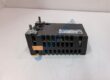
- Model: PP881 (3BSE092978R1)
- Brand: ABB
- Series: Panel 800 Series (Standard HMI Panel)
- Core Function: Functions as a human-machine interface (HMI) for real-time visualization, process monitoring, alarm management, and user input across industrial automation systems.
- Type: Industrial Touchscreen HMI Panel
- Key Specs: 7.0-inch TFT-LCD widescreen display, 800 x 480 pixel resolution, 24 V DC power input, dual Ethernet ports, serial interfaces (RS-232 / RS-422 / RS-485), USB host ports, IP65 front faceplate
- Condition: Condition: New Original (New Surplus) — not refurbished. Verified secondary market options tested prior to shipment.
Product Introduction
A damaged HMI touchscreen or backlighting failure in an automated production line blinds operators to active alarm conditions and prevents process adjustments. The ABB PP881 (3BSE092978R1) provides high-clarity graphic visualization, responsive touch interaction, and multi-protocol field communications across manufacturing, water treatment, and material handling applications. Built within the Panel 800 family, it fits standard cutout dimensions in control cabinet doors without requiring panel modification.
Deployed in System 800xA, Compact Product Suite, and third-party PLC architectures worldwide, this unit delivers fast screen transitions and reliable touchscreen feedback under continuous industrial operation. The ABB PP881 connects smoothly via Panel Builder 800 engineering software to keep plant visualization networks running reliably. Listed prices serve as a baseline market reference; actual costs depend on global surplus availability and current lead times. Contact our procurement team directly to request an exact quote.
Installation & Configuration Guide
Phase 1 — Pre-Installation (est. 10 min)
Safely isolate power to the control cabinet and apply lock-out/tag-out (LOTO) to the 24 V DC supply circuit before touching the display cut-out. Assemble a screwdriver set, torque driver, ESD grounding wrist strap, and a digital multimeter. Backup active HMI runtime project files and network IP configurations using Panel Builder 800 via Ethernet or USB media. Take clear photos of terminal block power wiring, Ethernet port connections, and mounting clamp positions on the active ABB PP881 unit.
Phase 2 — Removal (est. 5 min)
Attach your ESD wrist strap to the cabinet grounding rail. Label all Ethernet cables, serial port connectors, and 24 V DC power lines. Unplug the 3-pin green power connector and disconnect communication cables. Loosen the rear panel mounting clamps using a screwdriver and remove them from the housing slots. Carefully push the HMI panel forward out of the cabinet cutout from the rear and inspect the panel cutout edge for burrs or gasket residue.
Phase 3 — Installation (est. 10 min)
Clean the exterior panel door cutout face thoroughly. Remove the replacement ABB PP881 from its anti-static packaging and verify the sealing gasket is properly seated in the front bezel channel. Insert the unit straight into the panel cutout from the front. Attach the rear mounting clamps into their respective housing slots and tighten clamp screws evenly in a cross pattern to ~0.4 N·m to ensure an IP65 seal against the cabinet door. Reconnect the serial, Ethernet, and 24 V DC power connectors according to your labels.
Phase 4 — Power-On & Testing (est. 15 min)
Measure incoming DC supply voltage at the terminal plug — verify 24 V DC nominal before plugging into the unit. Apply power. Observe the LED boot sequence: Power LED turns solid green, the system initializes, and the system menu or application splash screen displays. Restore runtime project files using Panel Builder 800 or a USB drive. Test touch calibration across all four screen corners, verify PLC communication links, and confirm alarm banner updating before returning the panel to service. Log replacement details in your plant maintenance logs.