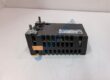
Product Core Brief
- Model: 07KT94 (GJR5252100R0101 / GJR5252100R0201)
- Brand: ABB
- Series: Advant Controller 31 (AC31) / System 90 Series
- Core Function: Functions as the primary central processing unit (CPU) base module to execute control programs, manage onboard digital/analog I/O, and handle fieldbus network communication.
- Type: Programmable Logic Controller (PLC) Main Base Unit
- Key Specs: Integrated 24 V DC power supply, onboard digital inputs/outputs, analog I/O channels, ARCNET / CS31 fieldbus interfaces, real-time clock, battery-backed RAM
- Condition: Condition: New Original (New Surplus) — not refurbished. Verified secondary market options tested prior to shipment.
Product Introduction
A processor failure in an industrial PLC rack halts local automation routines, locks up communication lines, and risks extended plant downtime. The ABB 07KT94 central processing unit provides reliable sequence control, fast loop execution, and fieldbus connectivity across manufacturing, material handling, and process automation systems. Built for the Advant Controller 31 series, it mounts directly onto standard DIN rails or panel mounting plates without requiring custom adapters.
Deployed in industrial automation projects worldwide, this controller maintains stable execution times and dependable real-time performance under high electrical noise conditions. The ABB 07KT94 connects seamlessly with ABB 90 Eco / AC31 expansion modules and 90KB61/90KB62 software suites to keep machine control systems running efficiently. Listed prices serve as a baseline market reference; actual costs depend on global surplus availability and current lead times. Contact our procurement team directly to request an exact quote.
Installation & Configuration Guide
Phase 1 — Pre-Installation (est. 10 min)
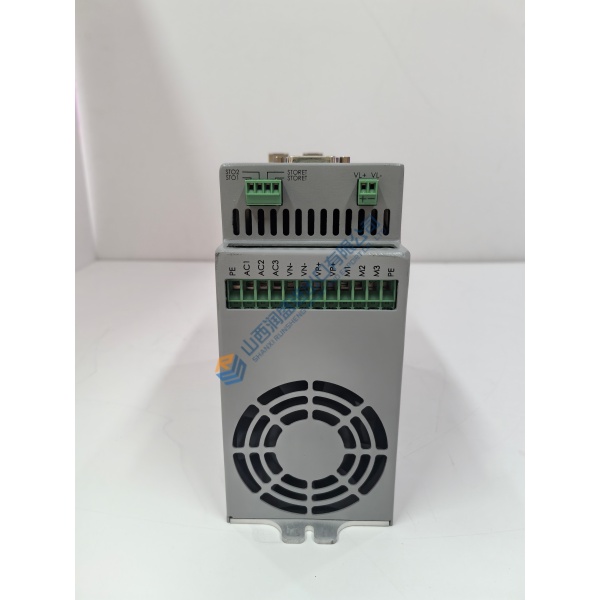
Safely isolate main cabinet power, apply lock-out/tag-out (LOTO) procedures, and verify zero voltage on 24 V DC supply lines before touching the controller. Assemble a precision flathead screwdriver, torque driver, ESD grounding wrist strap, and a digital multimeter. Backup active control logic, network node addresses, and parameter tables using 90KB61 / AC31 programming software. Take clear photos of terminal block wiring, communications cables, and DIP switch settings on the active ABB 07KT94 unit.
Phase 2 — Removal (est. 5 min)
Attach your ESD wrist strap to the cabinet grounding rail. Label all terminal blocks, RS-232/RS-485 serial connectors, and power supply leads. Unplug removable terminal strips by gently prying them forward. Loosen panel mounting screws or release the rear DIN-rail mounting clip using a flathead screwdriver. Carefully lift the CPU unit off the mounting surface and inspect the backplane expansion interface for dust or pin damage.
Phase 3 — Installation (est. 10 min)
Remove the replacement ABB 07KT94 from its anti-static bag and verify the part number label. Set onboard network address DIP switches and hardware jumpers to match the original unit configuration. Position the controller onto the DIN rail, pressing firmly until the mounting spring latches securely into place (or tighten panel mounting screws to ~0.8 N·m). Reconnect terminal block plugs firmly, torquing terminal screws to ~0.5 N·m. Reattach all fieldbus and serial communication cables.