Product Core Brief
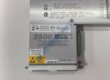
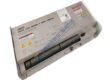
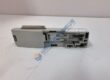
- Model: PMAC2-PCI (Part Number: 603726-109)
- Brand: Delta Tau Data Systems (Omron Delta Tau)
- Series: PMAC2 Motion Controller Series
- Core Function: Executes high-speed multi-axis trajectory calculation and servo control over PCI bus interfaces.
- Type: Programmable Multi-Axis Controller (PCI Bus Card)
- Key Specs: High-performance DSP engine, multi-axis servo/stepper control, onboard RAM/Flash memory
- Condition: New Original (New Surplus) — not refurbished
Product Introduction Tired of motion axis jitter or trajectory sync errors halting your high-precision CNC or automated assembly system? Installing the Delta Tau PMAC2-PCI 603726-109 motion control card restores ultra-precise servo loop synchronization and high-speed motion execution across legacy industrial PC racks.
This controller board processes complex trajectory algorithms onboard, relieving CPU processing load while outputting real-time control signals to servo drives. Operating this card inside multi-axis robotics or laser processing machinery keeps loop updates synchronized down to microsecond execution cycles.
Key Technical Specifications
- Manufacturer: Delta Tau Data Systems / Omron
- Model Name: PMAC2-PCI
- Part Number: 603726-109
- Bus Interface: Standard PCI bus interface (32-bit)
- Processor Architecture: High-speed Digital Signal Processor (DSP)
- Axis Control Capacity: Multi-axis independent or coordinated motion control (up to 8 axes supported depending on firmware/options)
- Feedback Compatibility: Incremental encoder inputs, quadrature feedback, digital I/O channels
- Operating Supply: Powered via PCI bus slot (+5 V DC / ±12 V DC)
- Operating Ambient: 0 °C to +50 °C
- Storage Temperature: −20 °C to +70 °C
Installation & Configuration Guide
Phase 1 — Pre-Installation (est. 10 min) De-energize main IPC host power and disconnect AC power cords. Lock out power sources in accordance with facility safety standards. Wait 5 full minutes for internal power supply capacitors to drain safely below 50 V DC. Gather your ESD wrist strap, Phillips screwdriver, and a Fluke 115 multimeter. Export existing PMAC project files, setup variables (I-variables), and axis calibration parameters using PEWIN32 / Executive software. Photograph PCI expansion slot arrangement, DIP switch configurations, and external cable header routing prior to unmounting hardware.
Phase 2 — Removal (est. 5 min) Disconnect external DB-style feedback and amplifier interface cables from the card retention bracket. Loosen the PCI expansion bracket retention screw. Pull the old PMAC card straight up from the PCI slot, holding the card edge corners carefully to prevent bending connector pins or components.
Phase 3 — Installation (est. 10 min) Attach your ESD wrist strap to a grounded IPC chassis frame before handling replacement components. Verify hardware tags confirm the Delta Tau PMAC2-PCI 603726-109 matches your original hardware revision. Replicate onboard DIP switch and jumper block settings from the old card onto the replacement unit. Align the card edge connector with the target PCI slot, press down firmly until seated, and secure the mounting bracket screw to ~0.5 N·m. Reconnect external breakout and feedback cables tightly.
Phase 4 — Power-On & Testing (est. 15 min) Reapply power to the host PC; check host bus power lines to ensure steady voltage rails. Boot into your operating system, open PMAC communication software (PEWIN32/PMAC Executive), and verify communication over PCI memory space. Upload configuration parameters or restored I-variable files, execute low-speed open-loop axis moves, and confirm encoder feedback counting direction. Run the tool through a simulated multi-axis motion profile for 30 minutes, checking event logs before recording hardware details in maintenance documentation.